
I recently had a relatively simple requirement for one of our enterprise Power BI semantic models:
Improve the metadata.
The requirement itself was simple. The scale was not.
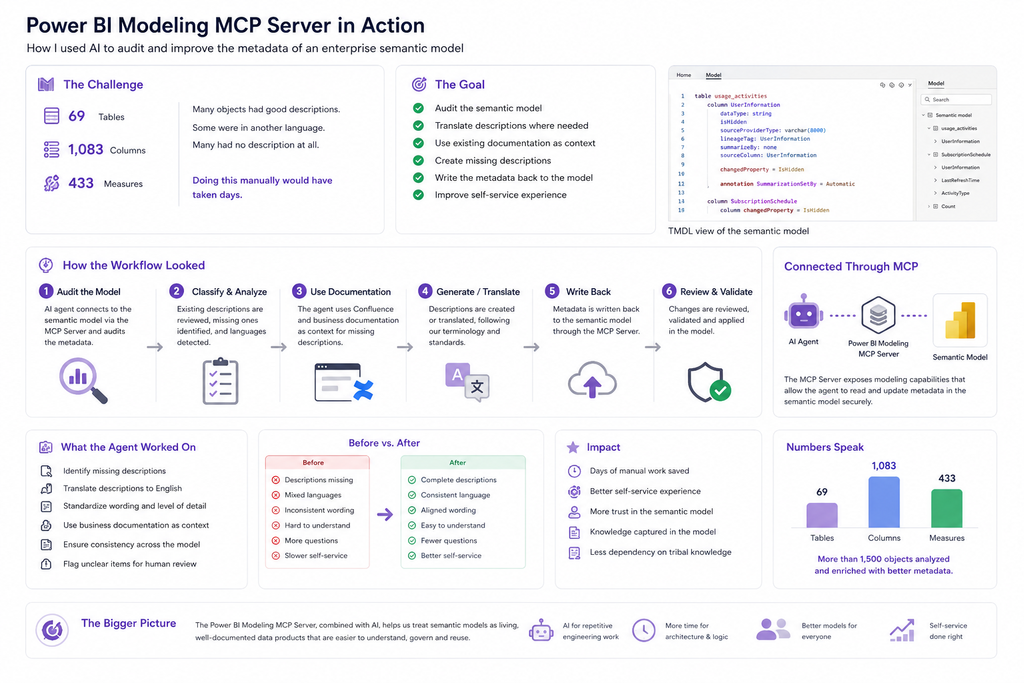
The semantic model contained:
- 69 tables
- 1,083 columns
- 433 measures
Some objects already had good descriptions. Others had descriptions in another language. Many had no description at all.
The goal was to establish much more consistent metadata across the model so that report developers using this shared semantic model could understand its content without constantly searching through external documentation or asking the original developers.
Doing this manually would have meant inspecting more than 1,500 model objects individually.
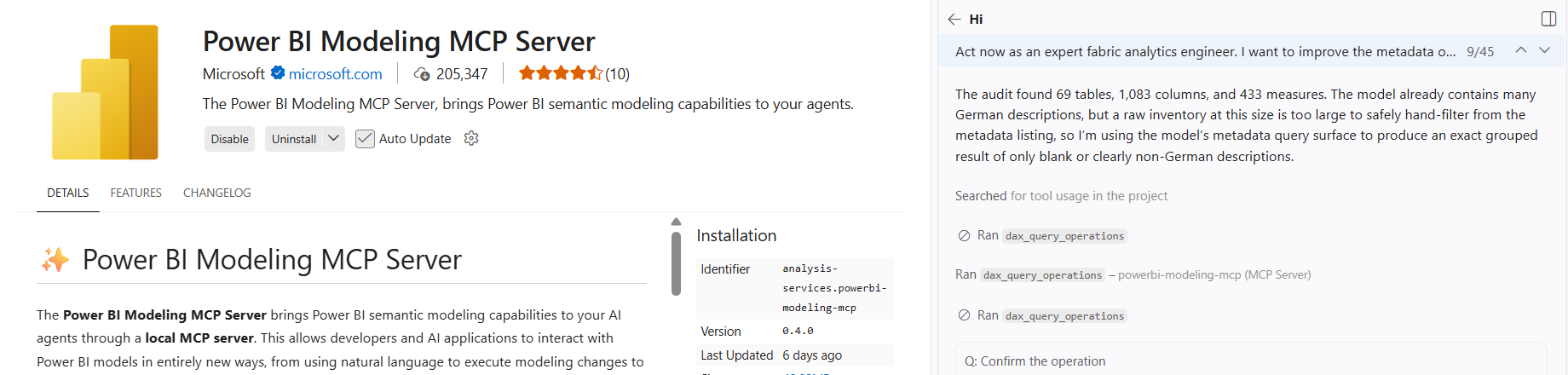
This was therefore a perfect real-world use case for something I had wanted to test more extensively: the Power BI Modeling MCP Server.
And this is where the experiment became much more interesting than simply asking an LLM to generate documentation.
The Actual Problem: A Semantic Model Can Be Technically Good and Still Be Difficult to Use
Enterprise semantic models are often discussed primarily from a technical perspective.
We focus on:
- star schema design,
- relationships,
- DAX measures,
- calculation performance,
- naming conventions,
- row-level security,
- refresh performance,
- and data quality.
All of these are important.
But there is another question that becomes increasingly relevant when the semantic model is supposed to enable self-service reporting:
Can another developer actually understand the model?
Imagine opening a shared semantic model containing hundreds of measures.
You find a measure with a business-specific name.
Technically, you can use it immediately.
But should you?
What exactly does it calculate?
Which business rules are included?
How is it different from another similarly named measure?
Or imagine a table containing 40 columns, some of which have names inherited from the source system.
Without additional context, a report developer may need to open Confluence, search for documentation, inspect DAX expressions or ask someone who already knows the model.
This creates friction.
A well-designed enterprise semantic model should therefore not only provide trusted calculations.
It should also provide enough semantic context for people to understand what they are consuming.
This is where metadata descriptions become extremely valuable.
What Is the Power BI Modeling MCP Server?
The Power BI Modeling MCP Server creates an interface between AI applications and Power BI semantic models using the Model Context Protocol (MCP).
MCP provides a standardized mechanism through which an AI agent can discover and use tools exposed by another system.
The important distinction is that the AI agent is no longer limited to answering questions based on text that I manually provide in a prompt.
Through the MCP Server, it can interact with the semantic modeling environment using the capabilities exposed by the server.
Conceptually, the architecture looks like this:
Developer
    │
    │ Natural language
    ▼
AI Agent / MCP Client
    │
    │ Model Context Protocol
    ▼
Power BI Modeling MCP Server
    │
    │ Semantic modeling operations
    ▼
Power BI Semantic Model
That opens up a completely different category of AI-assisted Power BI development.
Instead of asking:
„Write me a description for this measure.“
I can work at the model level:
„Audit the semantic model and identify objects where metadata needs improvement.“
The agent can then use the modeling capabilities exposed through MCP to inspect the actual model.
Step 1: Auditing the Semantic Model
My first request was deliberately broad.
Before changing anything, I wanted the agent to understand what it was dealing with.
The audit identified:
69 tables
1,083 columns
433 measures
This was already useful because it immediately quantified the scope of the task.
The next objective was to investigate the metadata.
I wanted to know:
- Which tables have descriptions?
- Which tables have no descriptions?
- Which columns are documented?
- Which measures have descriptions?
- Which descriptions are written in another language?
- Which objects require additional business context?
This is an important point in AI-assisted development:
I did not want the agent to blindly generate descriptions for everything.
Existing metadata should be preserved where it is already meaningful.
The first step should always be understanding the current state.
Step 2: Classifying the Metadata
Conceptually, I wanted the model objects divided into several categories.
Category 1 — Good Existing Description
For example:
Measure: Revenue YTD

Description:
Cumulative revenue from the beginning of the selected year
to the current reporting period.
No action required.
Category 2 — Description Exists but in Another Language
For example:
Measure: Customer Count

Description:
Anzahl der aktiven Kunden im ausgewählten Zeitraum.
If the agreed documentation language of the semantic model is English, the description can be translated while preserving its business meaning.
Category 3 — Description Missing but Business Documentation Exists
This is where the process becomes particularly interesting.
The semantic model may not contain a description, but the information already exists somewhere else—for example in:
- Confluence documentation,
- business glossaries,
- KPI definitions,
- technical documentation,
- existing report documentation.
Instead of inventing a description, the agent can use this information as additional context.
Category 4 — No Description and Insufficient Business Context
These objects should not simply receive an AI-generated business definition that looks plausible.
This is an important governance principle.
An AI system can understand names, DAX expressions, relationships and technical context, but it should not invent business semantics when the source information is insufficient.
Such objects should be flagged for human review.
Step 3: Using Existing Documentation as Context
One of the most useful parts of the workflow was combining information from different places.
The semantic model provides technical context:
Table
Column
Data type
Measure
DAX expression
Relationships
Existing metadata
External documentation provides business context:
Business definition
KPI meaning
Source system explanation
Functional terminology
Calculation assumptions
The AI agent can help connect both.
For example, imagine a measure:
KG Abholungseinladung =
CALCULATE (
    SUM ( FactCustomerBusiness[Quantity] ),
    FactCustomerBusiness[BusinessType] = "PickupInvitation"
)
The DAX expression provides technical information about the calculation.
But the business documentation may explain what an „Abholungseinladung“ actually represents within the business process.
A useful description needs both perspectives.
This is why I see this workflow as more than automatic documentation generation.
It is metadata enrichment using model context plus existing organizational knowledge.
Step 4: Writing the Metadata Back to the Semantic Model
This is the part that differentiates the MCP approach from simply using ChatGPT or another LLM to generate text.
If I only use an LLM, the workflow might look like this:
Export metadata
      ↓
Copy into AI
      ↓
Generate descriptions
      ↓
Copy descriptions back
      ↓
Manually update Power BI
For a few measures, that is manageable.
For more than 1,500 objects, it is not.
With the Power BI Modeling MCP Server, the workflow becomes much closer to:
Semantic Model
      │
      ▼
AI Agent audits metadata
      │
      ▼
Existing metadata is evaluated
      │
      ├── Good → Keep
      │
      ├── Other language → Translate
      │
      ├── Missing → Search available context
      │
      └── Unclear → Flag for review
      │
      ▼
Proposed metadata changes
      │
      ▼
Review / Validation
      │
      ▼
Semantic Model updated
The AI agent is therefore not just producing documentation outside Power BI.
It participates in the semantic modeling workflow itself.
That distinction is important.
Final Thoughts
A semantic model containing 69 tables, 1,083 columns and 433 measures is not difficult to document because writing a description is technically complicated.
It is difficult because of scale.
This is exactly where AI agents can create real value.
The Power BI Modeling MCP Server allowed me to combine the reasoning and language capabilities of an AI agent with direct semantic modeling capabilities.
The agent could help audit the model, identify metadata gaps, work with existing descriptions and documentation, and support the enrichment of the semantic model itself.
What previously looked like days of repetitive work became a controlled AI-assisted workflow.
But the most important outcome was not productivity.
It was self-service usability.
A well-documented semantic model transfers knowledge from individual developers into the model itself.
And when report developers can understand tables, columns and measures without constantly asking someone what they mean, the semantic model becomes much more than a technical layer.
It becomes a reusable, understandable and governed data product.
For me, that is where tools such as the Power BI Modeling MCP Server become really interesting.